Coding and SQL
Give candidates real problems to solve. Run their code against test cases and review the result.
JavaScriptTypeScriptPython 3C++DartRustC#JavaRubyKotlinGoCSwiftScalaNode.jsPHPSQL (SQLite)
Screen CVs against your job criteria, assess the skills that matter and review the evidence with your team. Bring better questions to every interview.
10 free credits. No card required.
Pick from the test library, combine topics for your role and make the assessment your own.
Give candidates real problems to solve. Run their code against test cases and review the result.
Use skill quizzes for knowledge and written questions for the thinking behind an answer.
“I’d trace a request to see where the time is spent…”
Assess English with Communication (CEFR) tests from A1 to C2. Use Video Response tests to see how candidates explain an answer in their own words.
Explore working preferences with Psychometric tests. Measure typing speed and accuracy, and assess spreadsheet formulas with Excel tests.
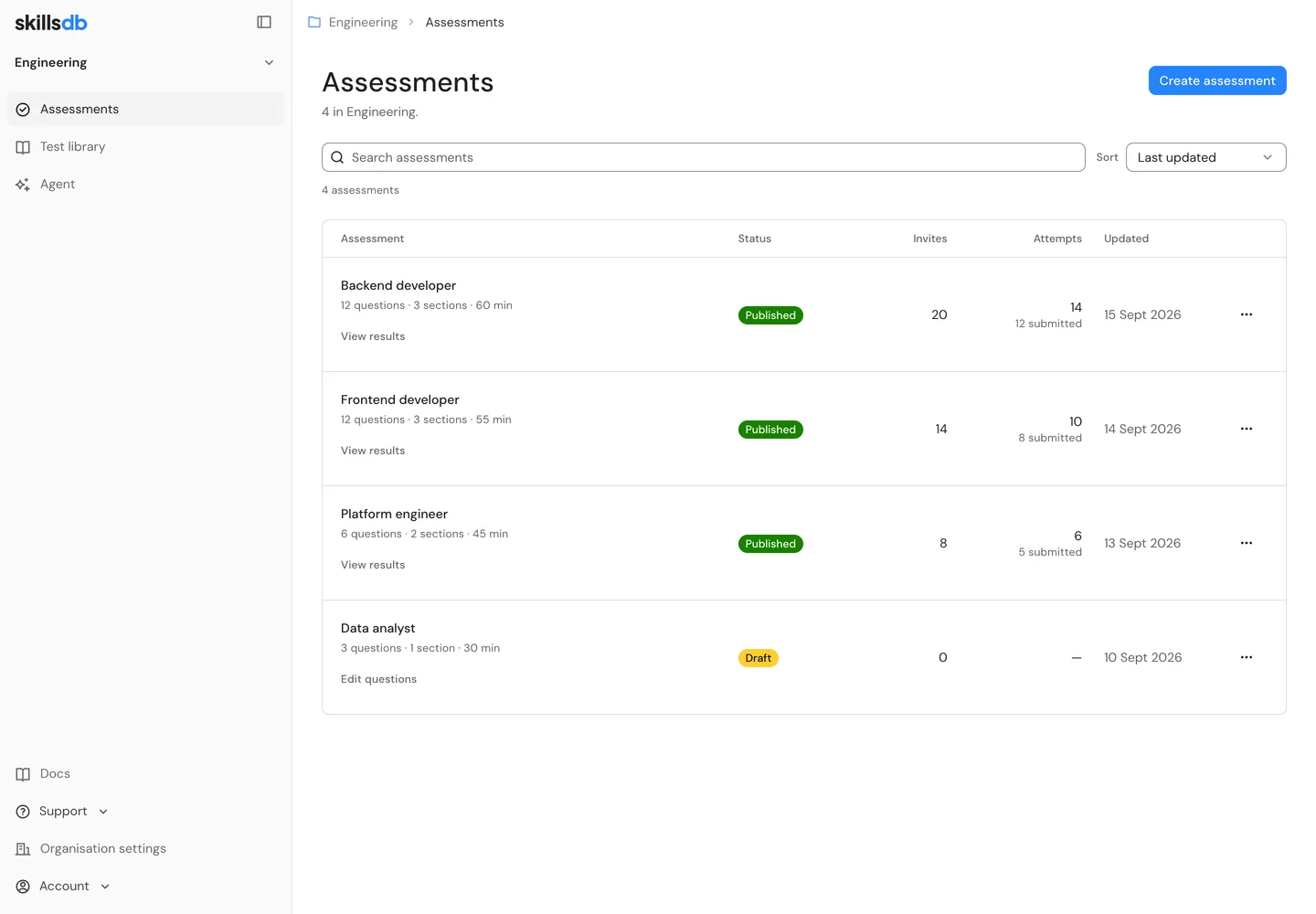
Keep assessments, invitations and candidate results together. Give each team a workspace of its own.
Start from the library, add your own questions or ask your AI agent for a draft.
Send an invitation link. No account to create, one question at a time, with progress saved as they work.
Compare skills, open the answers and read the feedback. Decide what to explore in the interview.
Multiple-choice answers are scored automatically. Written answers receive feedback against your rubric. Code runs against test cases.
See where each candidate is strong and where you need a closer look.
Read what they wrote and inspect the code they submitted.
Review the reasoning behind a result, then bring your own judgement.
Connect ChatGPT, Claude, Gemini or Grok, then create an assessment, invite candidates and review their scores from the chat you already use. The work itself stays in your SkillsDB workspace.
YouCreate a backend developer assessment. Focus on API debugging, SQL and testing.
Backend developer, 3 sections, 40 minutes. Change any of it before you publish.
12 questions · 40 minutes
Example conversation with a connected AI agent. The names and scores are examples.
Create assessments, invite candidates and review results with the AI agent built into your SkillsDB workspace.
Read the guideScreen CVs and send assessments to candidates from Zoho Recruit. Let your team sign in through Zoho Directory.


Screen Zoho Recruit resumes against criteria you review. See the CV evidence behind each score.
Write ratings and mapped screening statuses back to Zoho Recruit. Candidates who have moved past screening keep their status.
Read the CV screening guideChoose a Zoho Recruit job opening, select candidates and send a SkillsDB assessment without retyping their details.
Review the results in SkillsDB. Connect assessment webhooks to your own workflow for updates to Zoho Recruit.
Read the Zoho Recruit guide

Let your team sign in to SkillsDB through Zoho Directory with SAML single sign-on. Use the work accounts your organisation already manages.
The same setup supports other SAML identity providers, including Okta, Microsoft Entra ID and Google Workspace.
Read the single sign-on guideReview camera snapshots and browser activity in a session timeline alongside candidates’ answers. See tab switches and fullscreen exits, then decide what to follow up on.
Candidates see the requirements and give consent before starting.
First timed section begins
Review alongside session activity
Review alongside the answer
Answers and activity, together
The library includes Quizzes, Programming, SQL, Communication (CEFR), Psychometric, Video Response, Typing Test, Excel. Combine tests for your role and add your own questions, including written answers.
Choose a Zoho Recruit job opening or upload CVs with a job description. Review and edit the criteria before screening starts. Compare candidates’ scores and the CV evidence behind each criterion, then review or override the screening decision.
No. Candidates open their invitation link, review the requirements and take the assessment in their browser. They answer one question at a time, and their progress saves as they work.
Multiple-choice answers are scored automatically. Written answers receive AI feedback against your rubric. Code runs against test cases. Your team can review the answer and feedback behind each score.
Camera snapshots and browser activity, including tab switches and fullscreen exits, are recorded in a session timeline. Review the activity alongside candidates’ answers to decide what to follow up on. Candidates see the requirements and give consent before starting.
No. Everything works directly in SkillsDB. You can also connect Claude, ChatGPT, Gemini or Grok to create assessments, send invitations and review results from a conversation.
One credit covers one candidate on one test. An assessment with 3 tests uses 3 credits per candidate when you send the invitation. Your organisation starts with 10 free credits, with no card required. Plans add credits each month, and unused credits roll over while your plan is active.
Screen CVs, build focused assessments and bring your team together around the evidence.
 ChatGPT
 Claude
 Gemini
 Grok
Grok